# Definiciones

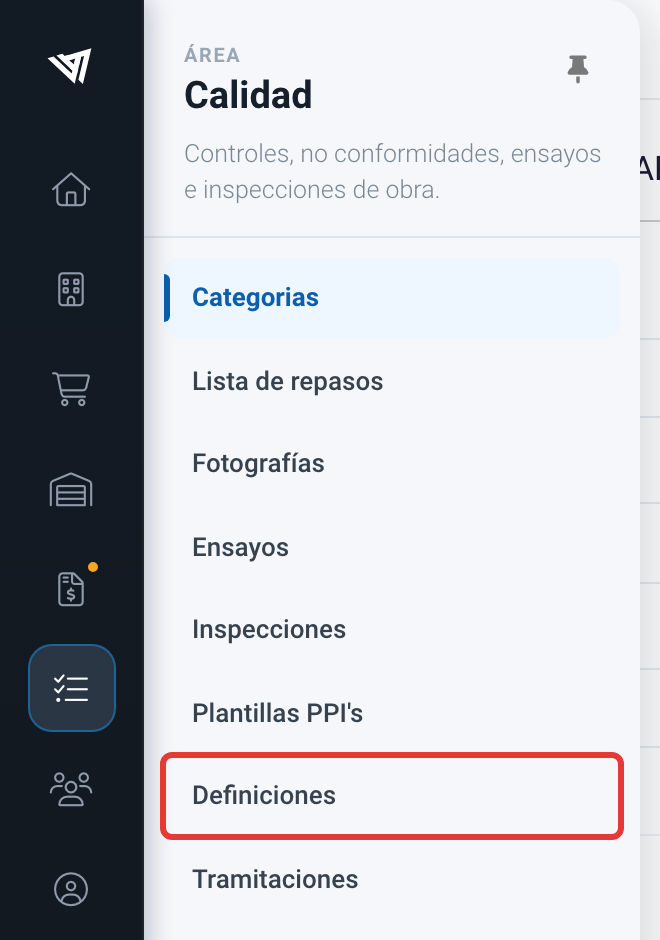
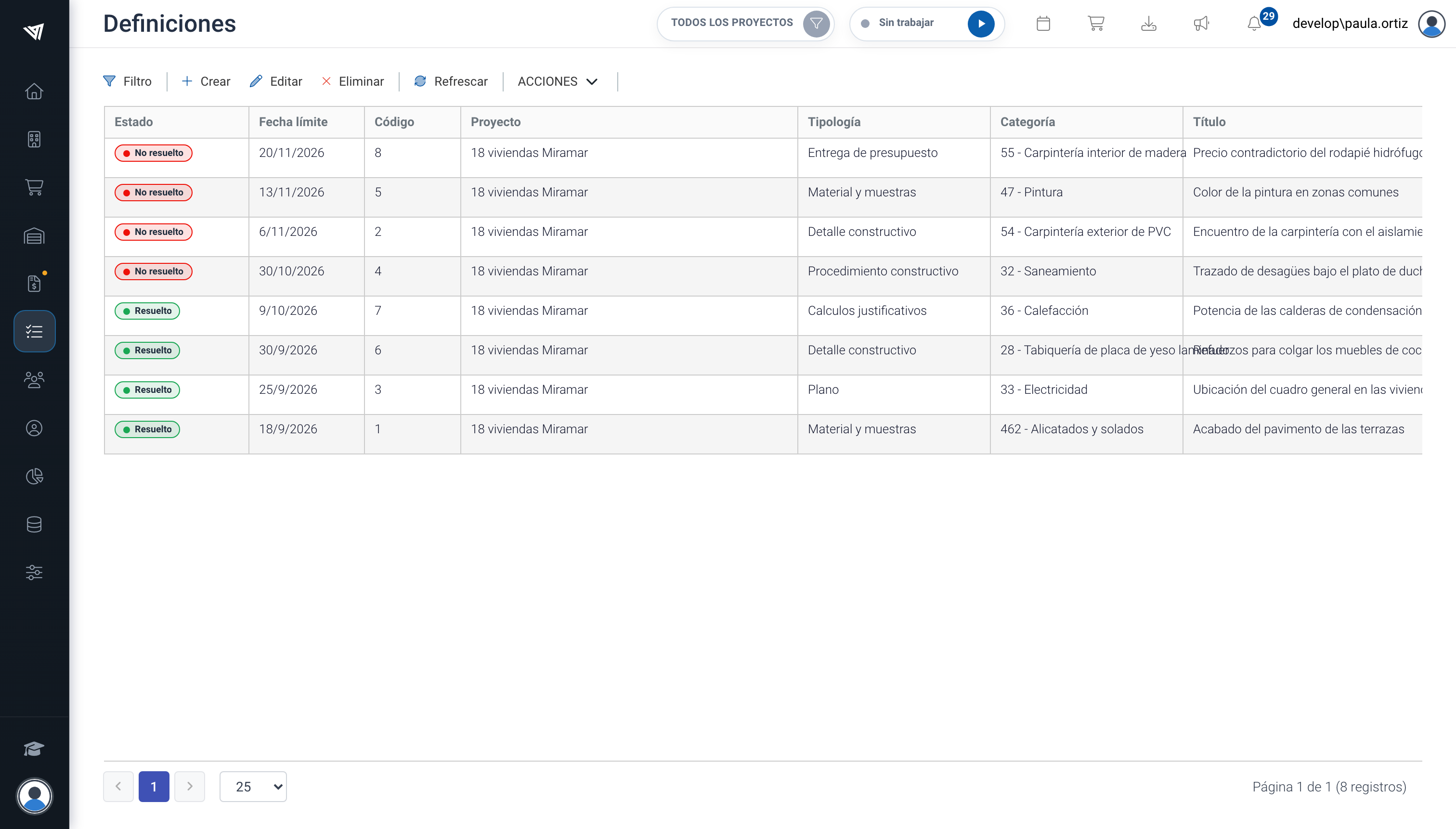
En "**Calidad/Definiciones**" puedes registrar todas las dudas o puntos pendientes de definición de un proyecto.&#x20;

<figure><img src="/files/gZSAqIzkIMipvnq2ZX4w" alt=""><figcaption><p>Accediendo a "Calidad/Definiciones"</p></figcaption></figure>

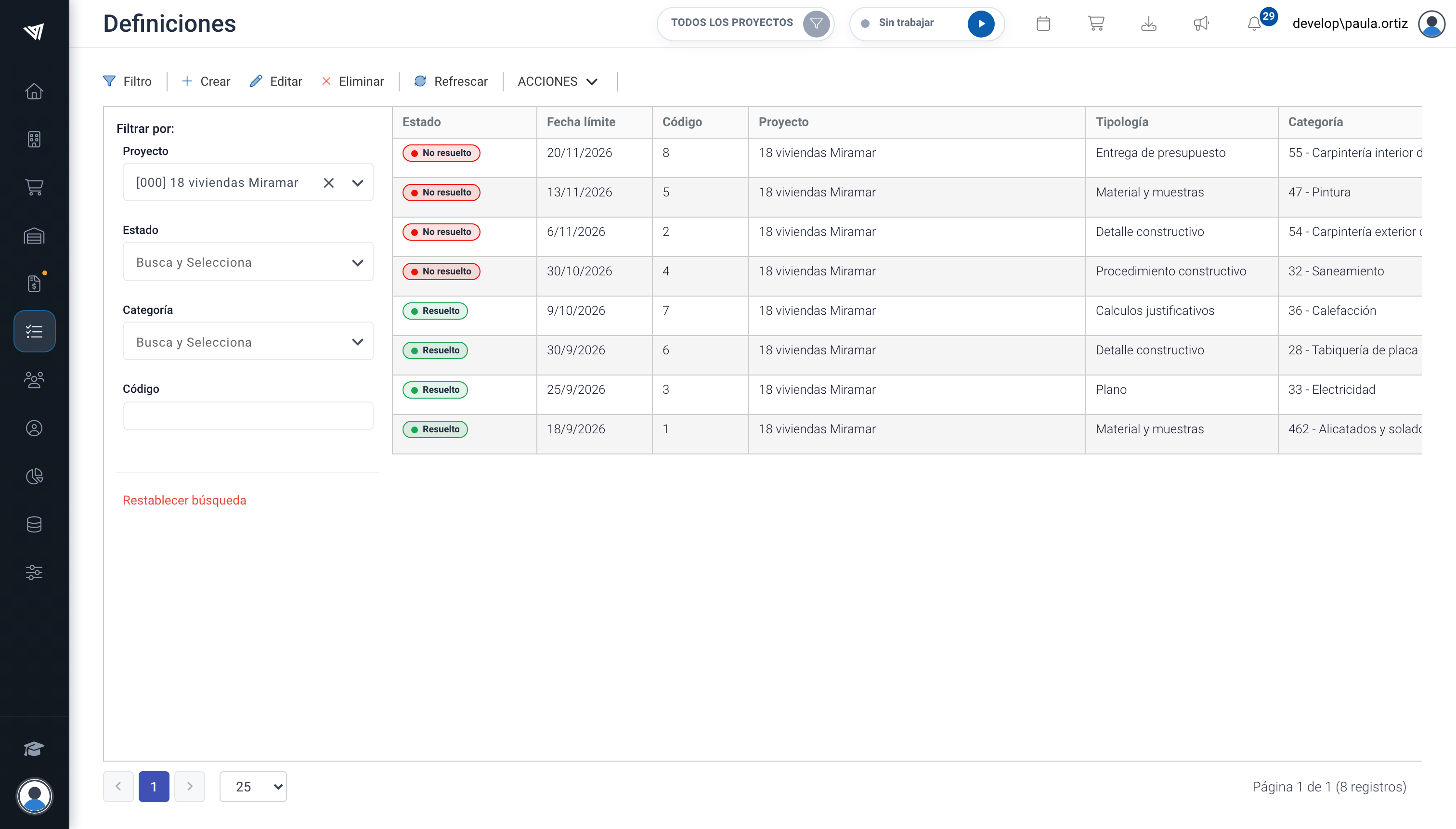
Desde el listado dispones a la izquierda de las opciones de filtrado. Para visualizar el filtro pulsa en el botón "FILTRO". Puedes filtrar proyecto, por estado, por categoría, y por código.&#x20;

Al lado del filtro dispones de las acciones "Crear" definición, "Editar" definición y "Eliminar" definición. El botón de "Exportar" te permite descargar un fichero con las definiciones mostradas en el listado.&#x20;

Las definiciones tienen el estado <mark style="background-color:green;">RESUELTO</mark> y <mark style="background-color:red;">NO RESUELTO</mark>.

<figure><img src="/files/8E54RdBRAWI03zWn0RCM" alt=""><figcaption><p>Listado de definiciones de un proyecto.</p></figcaption></figure>


---

# Agent Instructions: Querying This Documentation

If you need additional information that is not directly available in this page, you can query the documentation dynamically by asking a question.

Perform an HTTP GET request on the current page URL with the `ask` query parameter:

```
GET https://academy.trowelapp.com/calidad/definiciones.md?ask=<question>
```

The question should be specific, self-contained, and written in natural language.
The response will contain a direct answer to the question and relevant excerpts and sources from the documentation.

Use this mechanism when the answer is not explicitly present in the current page, you need clarification or additional context, or you want to retrieve related documentation sections.