
Acciones
#Documentación
En "Proyectos/Documentación" tienes disponible la gestión documental de tus proyectos (pantalla "Documentación Oficial"). Esta función te permite mantener actualizada la documentación de cada proyecto y llevar el control de sus versiones.
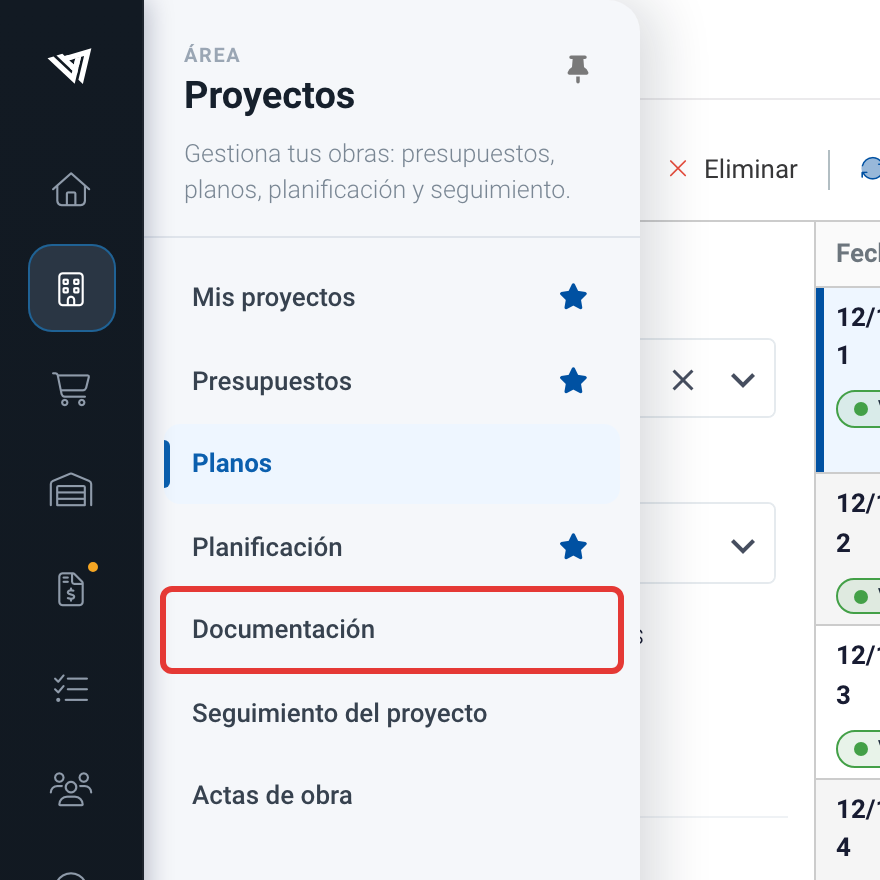
Accediendo a la documentación de los proyectos.
Para ver los documentos, selecciona primero el proyecto en el campo "Proyecto". A continuación se muestra el árbol de carpetas de "Documentación Oficial", con las siguientes categorías:
- Contrato.
- Licencias y permisos.
- Seguimiento de obra.
- Seguridad y salud.
- Medio ambiente.
- Calidad.
- BIM.
- Fábrica.
Cada categoría dispone de sus propias subcategorías (por ejemplo, "Contrato" incluye "Contrato firmado", "Presupuesto", "Planos", "Memoria", "Pliego de condiciones", "Planing" y "Adenda"). Al seleccionar una carpeta, a la derecha se listan sus documentos con su título, usuario, versión y fecha; si seleccionas "Documentación Oficial", se muestran todos los documentos del proyecto. El buscador de la parte superior permite localizar documentos por su título o autor.
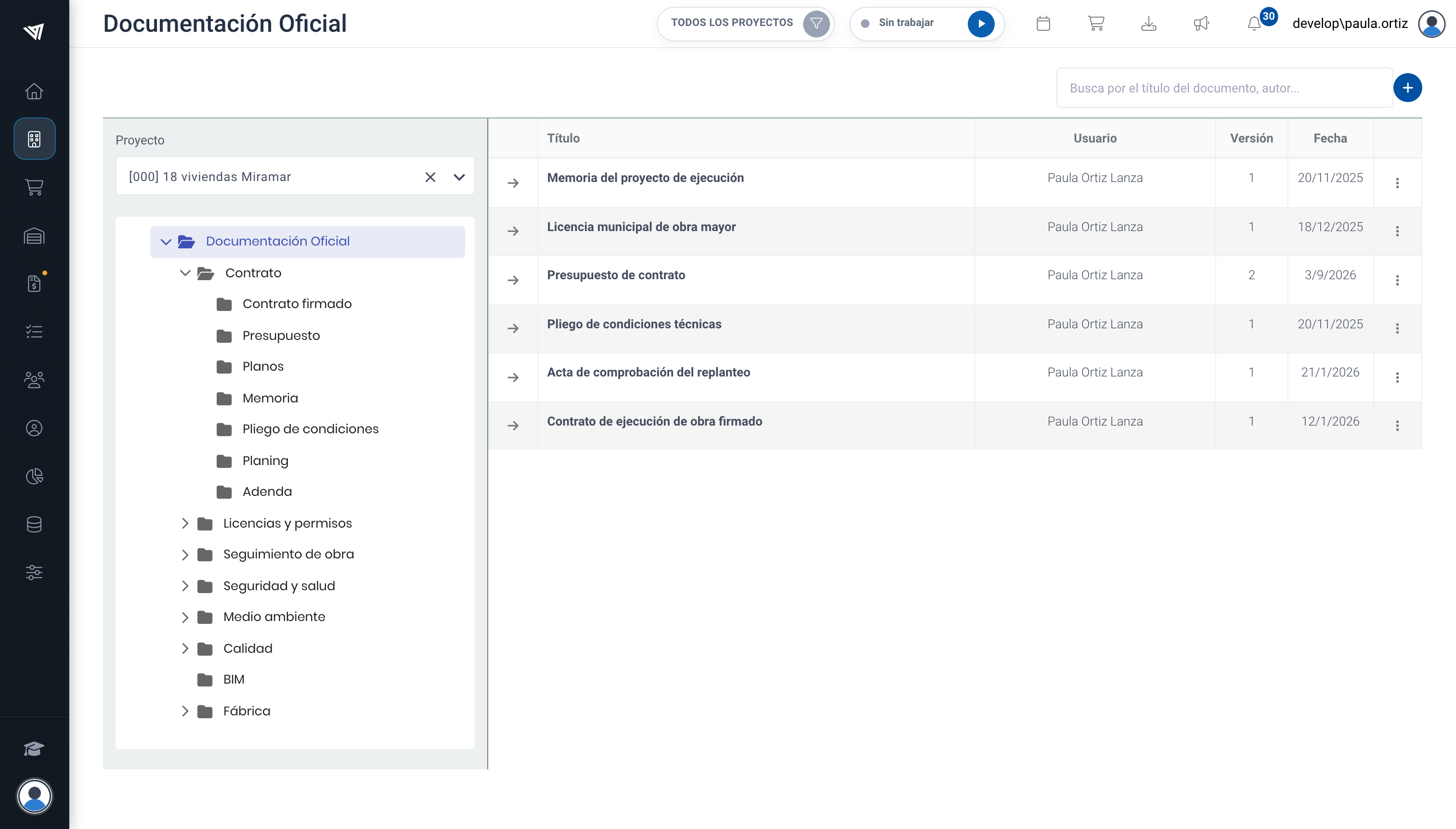
Navegando por el árbol de documentos.