
Acciones
#Partes de trabajo
En "Gestión empleados / Partes de trabajo" puedes llevar la gestión de los partes de trabajo de tu personal: las horas que cada empleado dedica a cada proyecto y a qué compra del plan económico se imputan.
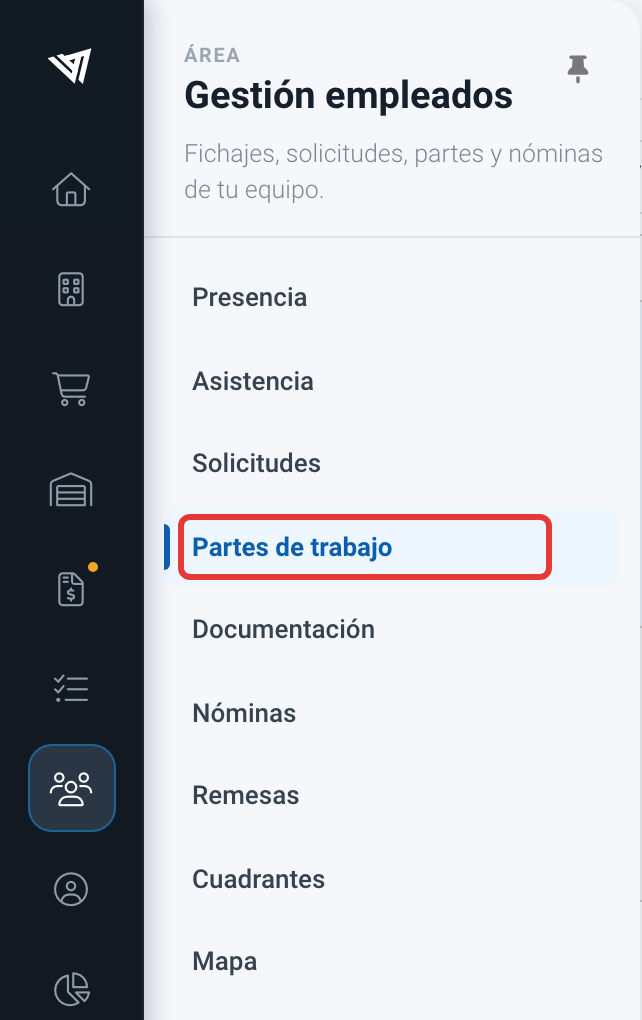
Accediendo a "Gestión empleados / Partes de trabajo".
El listado muestra, para cada parte, la fecha y su estado (Pendiente, Validado o Rechazado), el tiempo en horas, el importe que carga a la obra y la información del trabajo: tipo de hora, modalidad (Por medición o Por administración), empleado, proyecto, compra, partida y descripción. Si un parte tiene proyecto pero aún no tiene compra, aparece la etiqueta "Pendiente de imputar". Las columnas "Campos personalizados" y "Firma" muestran la información adicional que se haya recogido en el parte.
En la parte superior dispones de las opciones "Filtro", que abre el panel lateral de filtros (número, validación, trabajando, empleado, tipo de hora, proyecto, cliente, compra…), el selector de rango de fechas, "Crear", "Editar", "Eliminar", "Crear partes masivos", "Refrescar" y "Acciones", desde donde puedes exportar el listado.
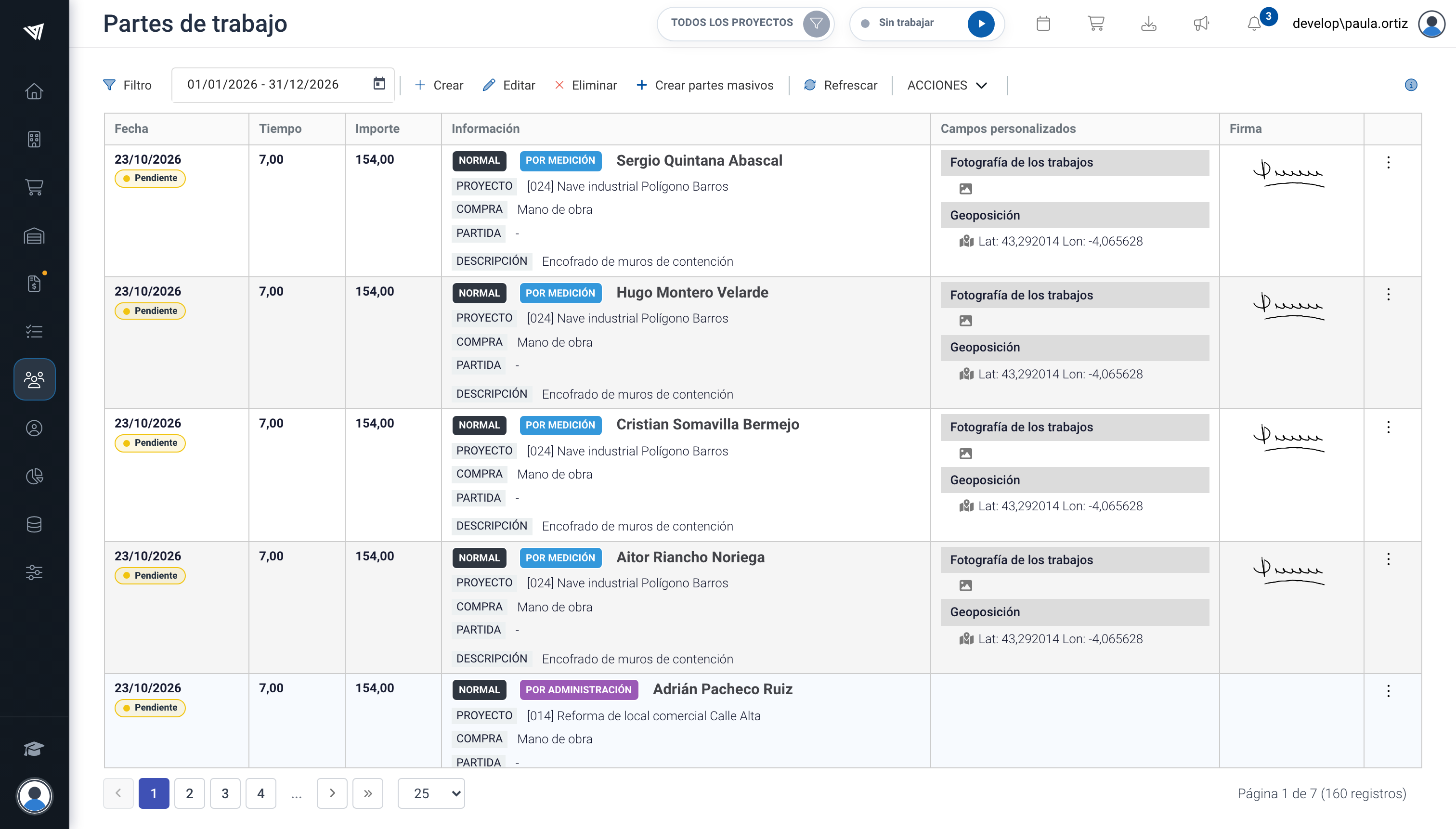
Listado de partes de trabajo.
A la hora de asignar el tipo de cuenta a tus usuarios has de tener en cuenta que:
- Los usuarios "Premium" y "Plus" pueden hacer su parte de trabajo y el parte de trabajo del resto de usuarios.
- Los usuarios "Basic" pueden hacer su parte de trabajo, pero no pueden hacer el parte de otro compañero.
- Los usuarios "Free" no pueden hacer el parte de trabajo, se lo tendrá que hacer otro usuario (Plus o Premium).